
Coach tactics board
Draw any formation, any field size — then share it
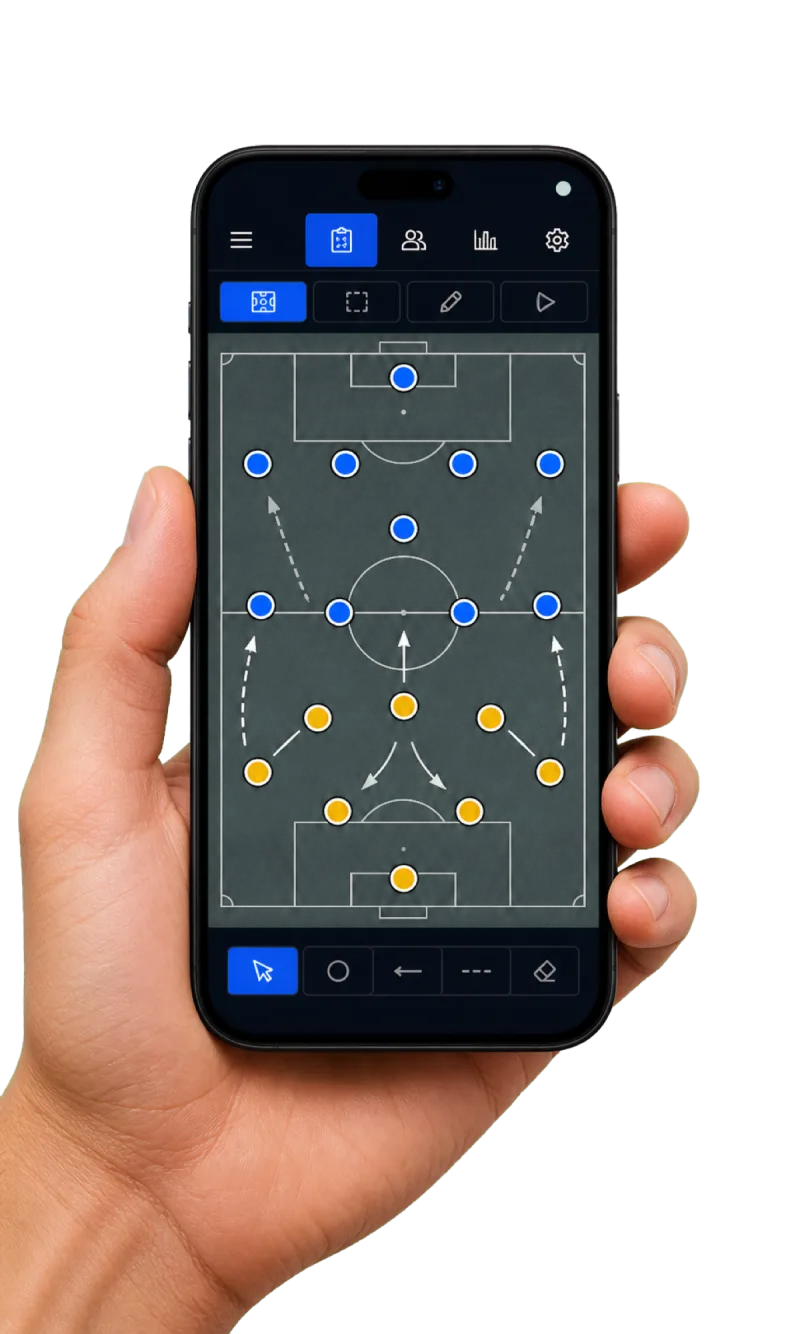
Plan your lineup on a real pitch. Pick a field size from 11v11 down to 5v5 (or custom), choose a preset or custom formation, drag your players into position, then save it as your default or for a specific game — and share it straight to your players.
The problem
Coaches plan lineups on scrap paper or a separate whiteboard app that knows nothing about their actual roster. ZKickoff’s board is wired to the real team: pick a field size, drag your real players into a formation, and share it to their portals — no re-typing names, no disconnect between the plan and the squad.
How it works
- 1Size the pitch
Choose players-on-field (11/9/7/5 or custom) and whether you have a goalkeeper.
- 2Set the shape
Pick a formation (4-3-3, 2-3-1, …) or drag players into a fully custom shape.
- 3Share it
Export a PNG or copy the image; players see the board with their own spot highlighted in their portal.
What you get
- ✓ Classic 11v11 and every small-sided format
- ✓ Custom formations by dragging players
- ✓ Save a default and per-game boards
- ✓ Export PNG / copy image to share
- ✓ Players see their position + your notes
FAQ
Does it work for 7v7 or 5v5, not just 11v11?
Yes — choose any field size, with or without a goalkeeper, and the pitch and formations adapt.
Can I make a formation that isn’t a preset?
Yes — drag any player anywhere on the pitch for a fully custom shape; the layout saves exactly as you place it.
How do players see the lineup?
Share the exported image, or players open their portal to see the board for the game with their spot highlighted plus your note.
Requirements & limitations
- • Field sizes from 11v11 down to 5v5, with or without a goalkeeper, plus fully custom shapes.
- • Save as your default or per game, then share it to your players — they view it in their own portal via a magic link, with no account setup or app install.
- • Works on mobile and desktop.
Eligibility & visibility
- • Where eligibility data is present, consent-pending and suspended players are flagged and kept out of the auto-lineup.
- • A shared board shows the lineup only — your notes and drafts stay private to you.
What each role gets
Any field size (11v11 down to 5v5, or custom), preset or drag-to-build formations, saved per game or as a default.
See exactly where they line up for the next game, with the coach’s note — in their own portal.
Export a clean PNG or copy the image to drop into the team chat in seconds.
Ready to run your competition live?
Related:Digital referee reportTeam pages & passportGuide: small-sided formatsPlans & packaging